

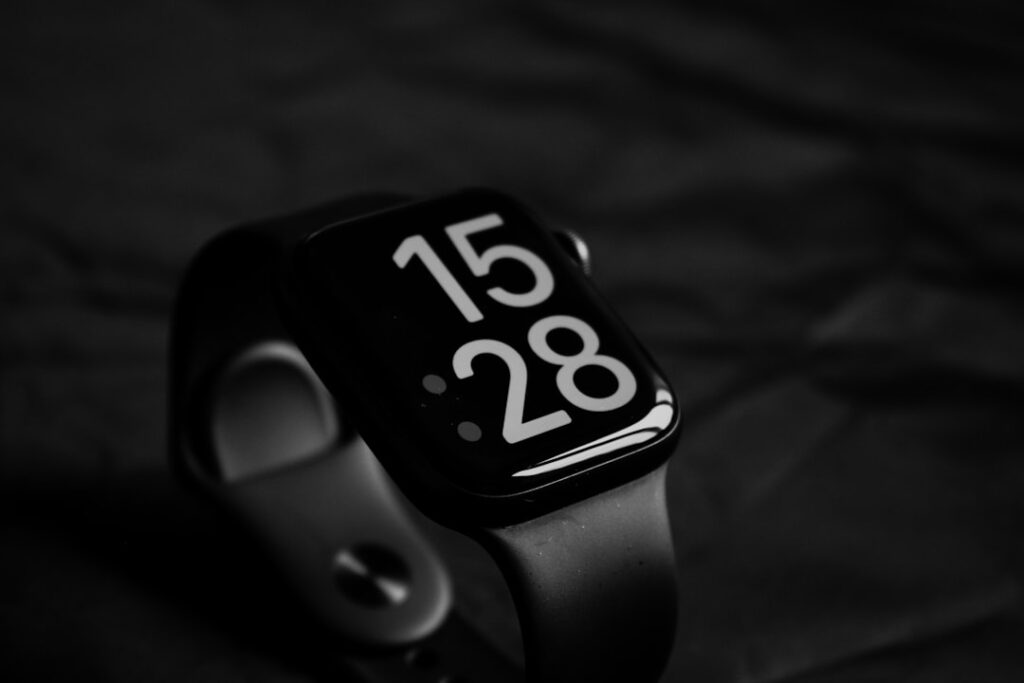
Amelia Holowaty Krales photographed a Pixel Watch 4 running what looked like the next version of Wear OS on May 20, 2026 — but it wasn’t Wear OS 7. It was still on Wear OS 6. That detail, buried in a photo caption from The Verge’s live coverage, says more than Google’s polished demo ever could: the platform isn’t ready. And yet, just hours later, Google announced Wear OS 7 anyway — pushing forward with promises of Live Updates, AI-driven task tracking, and a new widget system that finally starts to treat the smartwatch as something more than a phone’s tethered display.
Key Takeaways
- Wear OS 7, unveiled at Google I/O 2026, introduces Live Updates — the same dynamic, iPhone-style banners that debuted on Android in 2025 — now syncing across phone and watch.
- The update enables real-time tracking of AI-powered tasks directly on the watch, letting users monitor progress like package deliveries or sports scores without opening an app.
- Google is replacing its limited Tiles with Wear Widgets, a new system that mimics full Android widgets in appearance and function, allowing richer glanceable data.
- Despite the announcement, no device shown during the keynote, including the Pixel Watch 4, was running Wear OS 7 — a sign of how early the software still is.
- Developers gain new APIs to push Live Updates and customize Wear Widgets, marking Google’s first real attempt to make the watch a standalone platform for task automation.
Wear OS 7 Isn’t Just New Widgets — It’s a Platform Shift
Google didn’t just slap a new UI on Wear OS 7. It’s trying to redefine what a smartwatch does. That’s why the move from Tiles to Wear Widgets matters. Tiles were static, one-tap shortcuts with minimal data. Wear Widgets are dynamic, resizable, and update in real time — think weather changing with the hour, or a live sports score ticking up as a game progresses. It’s the kind of functionality Android phones have had for years, but until now, watches were stuck in the past.
And this isn’t just about looks. Wear Widgets are built on the same architecture as Android’s main widget system, which means developers can port or adapt existing code with far less effort than before. That’s a big deal. Previously, building for Wear OS meant rewriting everything from scratch. Now, there’s a path. Google’s even added support for background data refresh intervals — a small but critical detail for devs who’ve spent years wrestling with battery drain on wrist devices.
But here’s the catch: none of this fixes the core problem. Watches still have tiny screens, weak processors, and abysmal battery life. Wear Widgets might look better, but if they kill your charge by noon, what’s the point? Google didn’t announce any hardware changes to support this software leap. No new chipset. No bigger battery. Just software, launched on May 20, 2026, into a market where users already complain about charging every night.
Google’s AI Bet Is Now on Your Wrist
The real story in Wear OS 7 isn’t the widgets. It’s the AI integration. For the first time, users will be able to see and interact with tasks that an AI agent is actively working on — like tracking a package that’s stuck in transit or monitoring a live sports game for final scores. You’ll get alerts not when the app checks, but when the AI decides there’s something worth showing you.
This is built on the same infrastructure as Android’s Assistant Actions and the HyperScheduler framework introduced in 2025. But now, it’s extending to the watch. That means the AI isn’t just reacting — it’s proactively managing workflows. If you ask, “Let me know when my UPS package is delivered,” the system doesn’t just set a notification. It parses tracking data, monitors carrier updates, and decides when the delivery is confirmed — all without you touching your phone.
And you’ll see that process unfold on your wrist. Not just the result, but the status. “AI checking delivery status,” “Scanning for final score,” “Updating route due to traffic.” That transparency is new. It’s also risky. If the AI fails silently — or worse, gives false confidence — the watch becomes a source of misinformation, not insight.
How Live Updates Actually Work
Live Updates aren’t notifications. They’re persistent, tappable banners that live on your watch face or in a dedicated glance feed. They behave like iOS Live Activities — which Apple introduced in 2023 — but with Google’s twist: they sync across devices. Start tracking a sports game on your phone, and it appears on your watch instantly. No pairing, no setup.
These aren’t push notifications that disappear after a few seconds. They stay active as long as the event is ongoing. And developers can update them in real time using Google’s new Live Update API, which supports up to 12 updates per hour per widget — a limit designed to prevent battery abuse.
Early adopters include FedEx, ESPN, and Uber Eats. FedEx will use it to show real-time package rerouting. ESPN for live quarter-by-quarter scores. Uber Eats to display rider arrival countdowns with dynamic ETA shifts. It’s the kind of use case that could finally make smartwatches feel essential — not just convenient.
The Developer Opportunity — and the Battery Trap
For developers, Wear OS 7 opens real possibilities. The new APIs let you push data directly to Wear Widgets and Live Updates without launching the full app. That reduces latency and improves user retention. You don’t need a background service running — just a lightweight connection to Google’s sync layer.
But there’s a trade-off. Every Live Update drains power. Google claims the system is optimized for under 1% battery use per hour when running a single active update. But that’s in lab conditions. Real-world testing — like constantly polling a delivery API or refreshing a sports feed — could double or triple that.
- Wear Widgets support three sizes: small (1×1), medium (2×1), large (2×2)
- Live Updates expire after 24 hours unless renewed by the app
- Only 5 Live Updates can run simultaneously on a single device
- Updates pause when watch enters low-power mode
- Developers must declare update frequency in manifest — no silent high-frequency polling
That last rule is key. Google’s trying to prevent the kind of abuse that killed early Android Wear battery life. Back then, every app wanted to run constantly. Now, there’s enforcement. If your app exceeds declared update limits, Google Play Services throttles it. That’s good for users, but it might frustrate devs used to more control.
Why the Pixel Watch 4 Wasn’t Running Wear OS 7
It’s not a coincidence. The Pixel Watch 4 shown on stage at I/O 2026 was running Wear OS 6. Not a beta. Not a preview. The stable release. And that tells you everything about where this software really stands.
Google didn’t demo Wear OS 7 on any physical device. No hands-on stations. No developer preview devices shipped. Just a screen recording and a few slides. That’s not how they launch finished products. When Android 15 dropped in 2025, devs got preview hardware. When Pixel phones launch, they run the final OS. But on May 20, 2026, Wear OS 7 wasn’t on any watch you could touch.
There’s only one explanation: it’s not ready. The software might be functional, but it’s not stable enough for public testing. Or worse — it works, but it murders battery life. Either way, Google’s betting that announcing it now gives them momentum, even if the product lags behind.
Wear OS 7 Is Google’s Last Chance to Matter on Wrist
Samsung still dominates the Wear OS market. Over 70% of Wear OS devices sold in Q1 2026 were Galaxy Watches. Pixel Watch sales have flatlined. And Apple’s watchOS continues to pull ahead with deeper health integrations and better app performance.
Wear OS 7 is Google’s attempt to reclaim relevance. But it’s not a hardware play. It’s a software and AI bet — one that assumes users care more about real-time task tracking than, say, ECG sensors or blood pressure monitoring. That’s a gamble. Health features sell watches. AI task updates? That’s a niche.
And let’s be honest: most people don’t need to know their package is delayed while swimming laps. They’ll check their phone when they get out. The utility of these features is situational at best. But if Google can make them reliably useful — with minimal battery hit — then maybe, just maybe, the watch stops being a fitness tracker with email and starts feeling like a true companion device.
What This Means For You
If you’re a developer, Wear OS 7 gives you new tools — but also new constraints. The Live Update API is powerful, but throttled. Wear Widgets are flexible, but unproven in real-world battery tests. You’ll need to design for efficiency first, flashiness second. And you’ll have to wait for the first developer preview, which Google says is coming in June 2026. Until then, you’re coding blind.
For founders and product leads, this shift signals that Google wants the watch to be a hub for AI-driven micro-interactions. That’s your cue. Build for context: delivery tracking, live events, commute updates, order status. Avoid anything that requires deep engagement. The watch isn’t for browsing — it’s for knowing. If your app can reduce a complex workflow to a single glance, it’ll thrive. If it needs taps, scrolling, or typing, it’ll fail.
What we’re seeing isn’t just an OS update. It’s a bet that AI can make the smartwatch finally live up to its name. But if the battery dies before the delivery arrives, it won’t matter how smart it is.
Sources: The Verge, original report