



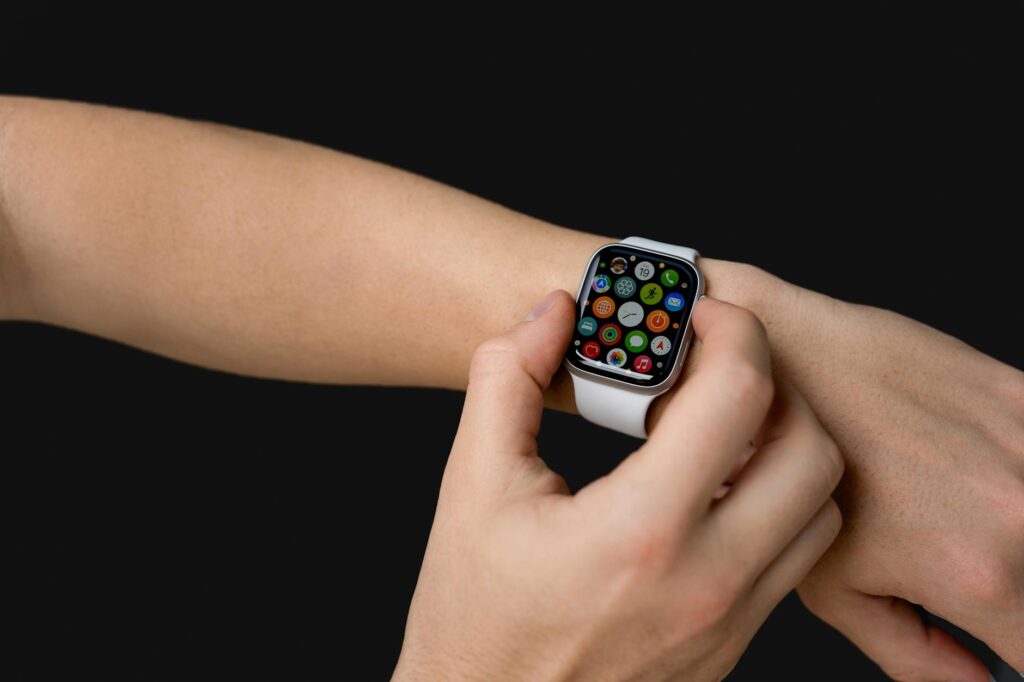
Apple’s upcoming watchOS 27 is expected to add a high‑blood‑pressure notification feature that’s currently under FDA review, according to a Digitimes report. That rumor, combined with Mark Gurman’s note about heart‑rate tracking upgrades, makes the next week’s WWDC reveal feel like a health‑focused pivot for the Apple Watch.
Historical Context
Since the first Apple Watch launched in 2015, health monitoring has been a core narrative. The original device introduced a basic heart‑rate sensor, then added an electrical‑cardiogram (ECG) capability in 2018. Each generation has layered new metrics on top of the same wrist‑worn form factor, letting Apple build a health‑data ecosystem without asking users to buy separate gadgets. The upcoming watchOS 27 continues that trajectory by refining existing sensors rather than demanding fresh hardware.
Apple’s approach has always been incremental: software tweaks improve raw sensor data, while the hardware remains backward compatible. That pattern shows why the rumored blood‑pressure alert can land on Series 8 and Ultra 4 without a firmware‑only barrier. The platform’s health‑centric history gives developers confidence that new data points will be reliable enough to power downstream services.
Key Takeaways
- Heart‑rate tracking is slated for refinement without needing new hardware.
- A high‑blood-pressure alert is reportedly in the pipeline, pending FDA clearance.
- A simplified Modular Ultra watch face could bring the premium look to non‑Ultra models.
- Siri is expected to answer more complex queries on watchOS, mirroring iOS 27’s chatbot‑style upgrades.
- Beyond the rumors, Apple will likely focus on stability and performance improvements.
watchOS 27 features: health tracking upgrades
Mark Gurman told Bloomberg that the next OS will improve the Apple Watch’s heart‑rate monitoring, but he didn’t spill the technical details. What we do know is that Apple plans to roll out those tweaks on the existing hardware, which means both the Series 8 and the Ultra 4 will benefit without a firmware‑only hurdle.
Heart‑rate tracking refinements
Developers have long complained that the watch’s heart‑rate sensor can produce noisy data during workouts. If the rumored software changes smooth out those spikes, we’ll see more reliable readings for fitness apps that rely on real‑time cadence and zone calculations. That could make it easier for third‑party developers to build advanced interval trainers without having to add their own signal‑processing layers.
More consistent heart‑rate data also opens the door for analytics that span multiple sessions. Apps could start correlating sleep‑stage heart‑rate trends with daytime activity, offering users a deeper picture of cardiovascular health. Because the changes apply to existing devices, the user base won’t need to wait for a new watch release to reap those benefits.
High‑blood‑pressure notifications
Digitimes said Apple is reviewing a new high‑blood-pressure notification with the FDA. If the feature lands, the watch will warn users when their systolic or diastolic readings cross a threshold that’s been medically validated. That’s a big deal for anyone who’s been waiting for a non‑invasive cuff‑free way to keep tabs on hypertension, especially since the Apple Watch already tracks heart‑rate variability and ECG.
- Feature: High‑blood‑pressure alerts (FDA under review)
- Hardware: Existing Apple Watch models will support it
- Potential impact: Direct health alerts without needing a separate device
Because the alert relies on sensor data already collected for heart‑rate and ECG, Apple can use its existing health‑pipeline to generate blood‑pressure estimates. The FDA review suggests Apple is treating the feature as a regulated medical function rather than a consumer wellness perk, which may affect how developers can access the data through HealthKit.
New Modular Ultra‑inspired watch face arrives
Gurman also described a new watch face that’s a “simplified take on the Modular Ultra design.” The face keeps the large central clock but drops the big complication in the middle and the row of three smaller complications above the time. Instead, users will see a single row of three smaller complications beneath the clock, filling the top two‑thirds of the display.
It has the same large clock as the Ultra face but removes the option for a big complication in the center, the row of three smaller complications above the time and information placed around the bezel. — Mark Gurman, Bloomberg
That design choice looks aimed at giving standard Series watches a taste of the Ultra’s premium aesthetic without demanding the larger bezel. For developers, the new face means a fresh set of layout constraints to consider when designing complications, especially if they want to appear in the bottom row.
Design trade‑offs
Because the face eliminates the central complication, developers will have to rethink how much information they can surface at a glance. That could push them toward more concise data representations, which isn’t necessarily a bad thing – it forces a clearer signal for users who’re checking their wrist during a quick glance.
The bottom‑row layout also encourages a hierarchy of information. Critical metrics, like upcoming calendar events or active workout timers, can occupy the leftmost slot, while less urgent data, such as battery level, can sit on the right. The change may spur a wave of adaptive complication designs that swap content based on context, like switching from step count to heart‑rate during an exercise session.
Siri gets smarter on the wrist
Apple’s AI team is rolling out a more capable Siri across iOS 27, iPadOS 27, and macOS 27. While the full chatbot‑style experience is reserved for those platforms, watchOS 27 is still expected to benefit from the underlying language‑model upgrades. There’s no word yet on a dedicated Siri app for watchOS, but the core improvement is that Siri will handle more complex requests and be more reliable overall.
Chatbot‑style experience on other platforms
Because Siri’s brain is getting a boost, we’ll likely see better context retention when you ask follow‑up questions on your iPhone, and that same engine will power the watch’s voice assistant. That means you could ask your watch to set a reminder, then immediately ask it to add that reminder to a calendar event without having to repeat the whole request.
On the wrist, voice interaction remains concise by nature. The upgraded language model can still keep responses short enough not to overwhelm a small screen, while offering enough nuance to understand multi‑step commands. Developers may soon see new SiriKit extensions that let their apps participate in these richer dialogues.
Stability, performance, and what’s left unknown
Bloomberg notes that watchOS 27 will “focus largely on stability, performance and smaller refinements.” That suggests Apple isn’t planning a massive UI overhaul beyond the new face, and it also hints that the company might be polishing the underlying health‑sensor pipelines for smoother data streams.
What we don’t know yet are any surprise features that could slip in during the WWDC keynote. Apple loves to keep a few tricks up its sleeve, so developers should stay ready for anything from new workout metrics to expanded HealthKit permissions.
What This Means For You
If you’re building a health‑focused app, the impending heart‑rate and blood‑pressure upgrades mean you can rely on more accurate baseline data without forcing users to upgrade hardware. That lets you design richer analytics, such as trend‑based alerts that trigger only when a user’s blood‑pressure consistently breaches a safe range.
For UI designers, the new Modular Ultra face forces you to rethink complication layouts. You’ll need to test how your data looks in the tighter bottom‑row space and perhaps create adaptive designs that switch between compact and expanded modes depending on the watch model.
End‑users will notice fewer false‑positive heart‑rate spikes during intense activity. A smoother reading translates to more trustworthy coaching cues from fitness apps. If the high‑blood‑pressure notification arrives, the watch could become a first‑line alert for hypertension, nudging users toward medical advice before a condition worsens.
Healthcare providers who integrate Apple Health data into their EMR systems can anticipate a steadier stream of vitals. Consistent heart‑rate and blood‑pressure inputs reduce the need for manual data cleaning, making remote monitoring programs more efficient.
Regulatory Landscape
The FDA review mentioned by Digitimes places the high‑blood‑pressure alert in a regulated category. Apple will need to demonstrate that its algorithm meets medical‑device standards, which typically involves clinical validation and post‑market surveillance. The review process also means any launch will likely be accompanied by clear labeling about intended use, user responsibility, and data privacy.
From a developer standpoint, the regulatory status could affect how HealthKit exposes the new metric. If Apple classifies the alert as a medical device function, apps may need to request higher‑level permissions and adhere to stricter data‑handling protocols. This environment encourages developers to treat health data with the same rigor as clinical records.
Key Questions Remaining
- Will the high‑blood‑pressure alert appear as a native notification, or will it require a companion app to surface the data?
- How will Apple balance FDA requirements with user privacy, especially given the sensitivity of blood‑pressure information?
- What specific algorithmic changes will improve heart‑rate accuracy, and will Apple provide developers with access to the raw sensor stream?
- Will Siri on watchOS gain any new voice‑triggered health commands, such as “Log my blood‑pressure now”?
- Are there plans to extend the Modular Ultra face to older watch models, or is it limited to the latest hardware generation?
Answers to these questions will shape how quickly developers can integrate the new capabilities and how users will experience health monitoring on their wrists.
Sources: 9to5Mac, Bloomberg